
The Fuel Estimation calculator turns an air figure into a complete fuel plan — the mixture you want, the fuel mass that needs, the injector that can deliver it, and how long and how often it must open. Open it from Calculators › Fuel Estimation. The sections are designed to chain: each can hand its result to the next, and section 2 can take a target AFR sent from the Turbo calculator.

Before anything else, tell the calculator what you are burning, because two fuel properties drive every result — its density ρ_fuel (g/cc) and its stoichiometric AFR (the chemically perfect air-to-fuel ratio). Choose a preset or set them by hand:
1. Air-Fuel Ratio. Enter the air and fuel per stroke (mg/stroke) and it gives the AFR and λ (lambda). AFR is just the ratio of the two masses, and λ rebases it against the fuel’s stoichiometric point so the meaning is fuel-independent:
AFR = air ÷ fuel λ = AFR ÷ AFR_stoich
λ = 1.00 is stoichiometric, below 1.00 is rich (more fuel), above 1.00 is lean.
2. Fuel Demand from Target AFR. The usual working direction: enter the air per stroke and a target AFR (or λ) and it returns the fuel per stroke you must deliver — fuel = air ÷ AFR. The → PW button sends that fuel mass to the pulsewidth section.
3. Injector Flow Rate. Injectors are rated in different units, so enter a value in cc/min, lb/hr or g/s and read it in all three (the conversion uses ρ_fuel, which is why the fuel type matters). → PW carries the flow to the next section.
4. Injection Pulsewidth. This works out how long the injector must stay open. Enter the fuel per stroke, the injector flow (cc/min), the injector’s dead time (ms — the lag before it actually flows) and the number of injections per cycle. It returns the PW per injection and the Total PW: the time to flow the required fuel, plus dead time, multiplied by the injections per cycle. → Duty and → Timing pass it on.
5. Injector Duty Cycle. Enter the Total PW and RPM to get the duty (%) — the share of the available time the injector is open:
duty % = PW × RPM ÷ 1200 (four-stroke)
A Plot… button shows how duty rises with RPM.
Warning — keep duty below about 85 %. At 100 % the injector is static (fully open) and cannot add any more fuel, so the mixture leans out exactly when the engine is working hardest. If duty climbs too high, you need bigger injectors.
6. Injection Timing. A pulsewidth in milliseconds means different things at different engine speeds, so this section converts a Duration between ms and crank degrees at a given RPM:
degrees = ms × RPM × 0.006
That lets you see how much of the cycle an injection actually occupies, or convert a degrees-based target back into a time you can program.
Tip — set the fuel type first, then work top to bottom: target AFR → fuel demand → pulsewidth → duty (watch the ceiling) → timing. Bring an air figure over from Air Flow and a target AFR from the Turbo calculator to start from real numbers.

All-in-one application for tuning experts preparing vehicles for track use. Designed for professional workshops, it simplifies the deactivation of non essential components to unlock true performance.

A free collection of checksum correction plugins for TunerPro that ensures safe ECU tuning. Automatically verify and update file checksums for reliable vehicle performance.
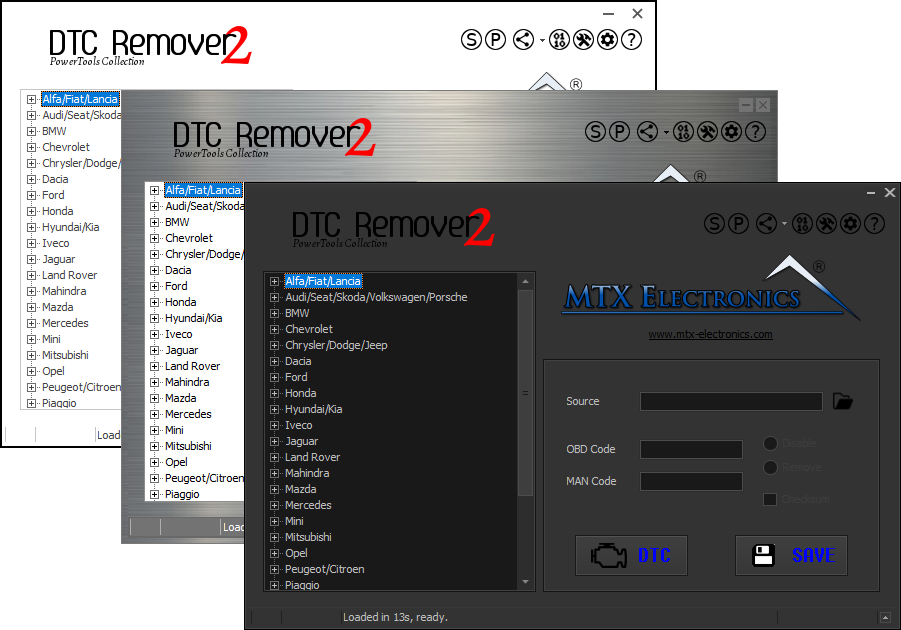
Lets you quickly disable fault codes to turn off the MIL light directly from your ECU file. Available in Standard and PowerTools editions with advanced scripting and online presets to remove faults by component groups.