
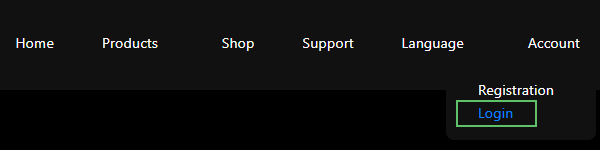
To download the software, start by logging into the website with your credentials using the Login link below the menu in the top-right corner (highlighted in green in Figure 1).
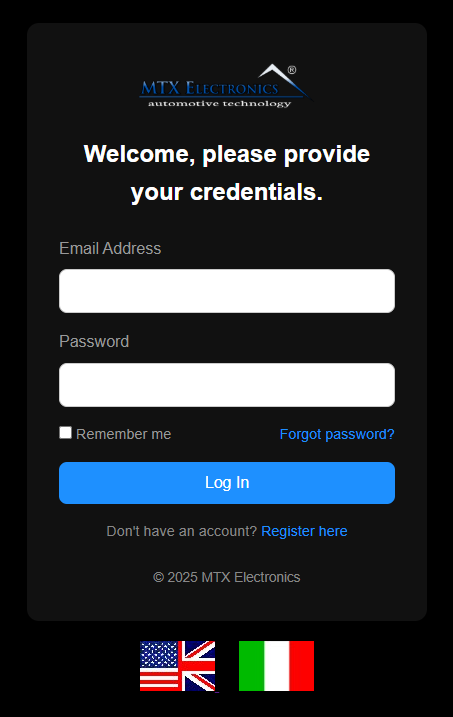
On the login page, enter your EMAIL and PASSWORD and press Log In.
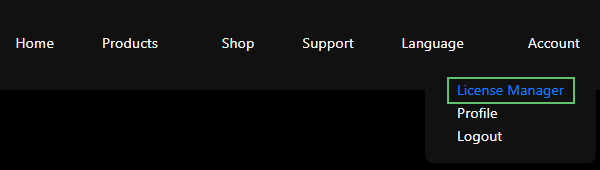
After logging in, open the License Manager page from the top-right menu.
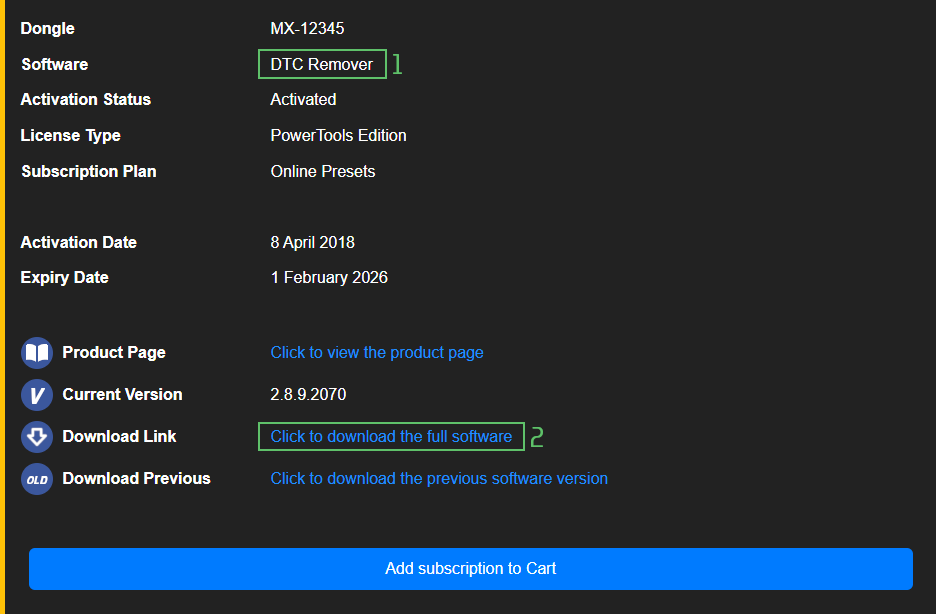
The License Manager lists every product you have purchased, each with a download for the full version. In Figure 4 the product name is in the upper green box; click the link in the lower green box to download it.
Note — You need an account with a valid, purchased licence to see and download the software. If the License Manager page is empty, check that you are signed in to the right account, or contact support.

A free collection of checksum correction plugins for TunerPro that ensures safe ECU tuning. Automatically verify and update file checksums for reliable vehicle performance.

A free, modern Windows software for viewing and editing ECU calibration data - map and hex editors, tuning calculators, and online services.

Immobilizer deactivation software for automotive professionals. Disable factory immobilizers directly in the ECU file ideal for engine swaps, track vehicles, and module replacements.