
When you edit a calibration file, the integrity values an ECU uses to confirm its firmware is intact — its checksums — no longer match, and most ECUs reject a file whose checksums are wrong. A checksum plugin teaches Tuning Editor how to read and repair those values for one family of ECUs. Four are now included, each covering a common Bosch family. This page explains what each one covers, what it needs from the memory you supply, and the few choices you can make.
Note — Open a collection and the matching plugin recognises the ECU automatically; the Checksums view then shows the ECU it found and whether each value is valid. Nothing is changed until you export: turn on checksum correction in Export Binary and the plugin repairs the values as the file is written.

| Plugin | Covers | Memory areas it works on | Original file | Re-signs RSA |
|---|---|---|---|---|
| MDG1 | Bosch MD1 diesel & MG1 petrol (TC298 & SPC5777) | Processor · Virtual EEPROM | Optional — better EEPROM block identification | No ⚠ |
| MEDC17 | Bosch EDC17 diesel & MED17 petrol (TC17xx) | Processor · Virtual EEPROM | Optional — better EEPROM block identification | Yes |
| EDC16 | Bosch EDC16 diesel | First gen (MPC555): Processor + External Flash · Newer (MPC56x): External Flash | Not used | Yes |
| ME7 | Bosch ME7 petrol | Processor | Not needed | Yes |
Memory areas: Processor is the ECU's main chip and its internal memory; External Flash is a separate memory chip some ECUs use; Virtual EEPROM is where configuration is tstored. Re-sign means re-creating the digital signature (RSA) a locked ECU requires before it accepts an edited file.
Give it a complete read — results are best when you supply a full read of all the ECU's memory areas. Partial, OBD or virtual reads limit what can be checked, and on some models they also rule out the Keyed signature choice. When in doubt, read and supply everything.
On EDC16 the tuning maps (Calibration) live in the External Flash, while the Processor holds the firmware and the data the plugin needs to build a Keyed signature. Two generations exist: the first generation (MPC555) has a Processor plus a separate External Flash — a full read of both gives the best result; the newer (MPC56x) has only a External Flash.
The plugin recognises the ECU, checks and repairs the checksums, optionally corrects the Processor, and can re-create the ECU's signature so the repaired file is accepted.
What it can do from your read — a Keyed signature is built from data in the Processor. If you do not supply the Processor, Keyed works only when the plugin already has this ECU's signature stored internally; otherwise it falls back to Keyless. A full read is the safe choice.
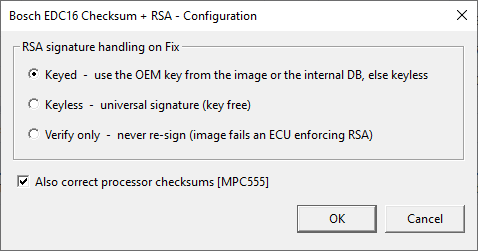
The Configure dialog — “RSA signature handling on Fix”:
Keyed — use the vehicle's own signature (from the image or the plugin's internal store), falling back to Keyless if neither is available. The most authentic choice, and the default.Keyless — a universal signature that needs no key.Verify only — never re-create the signature; the file fails on an ECU that checks it, so use it only for inspection.
A checkbox Also correct processor checksums [MPC555] repairs the Processor checksum as well.
ME7 keeps its program and its maps together in one image. The plugin recognises the ECU, checks that image, repairs it on export, and can re-create the signature.
What it can do from your read — it works on the single image you supply; the original (stock) version is not needed. A full read gives the most reliable result.
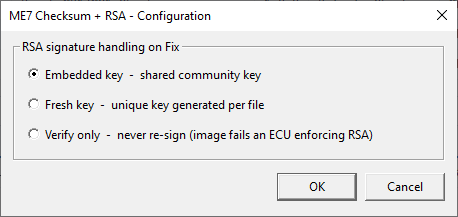
The Configure dialog — “RSA signature handling on Fix”:
Embedded key — a shared community signature. The default.Fresh key — a new signature generated for this one file.Verify only — never re-create the signature; inspection only.
Recognises the ECU and its details, and checks the Calibration and the Virtual EEPROM you supply. Both the Infineon TC298 and the NXP SPC5777 processor families are supported.
What it can do from your read — it checks whichever of Calibration and Virtual EEPROM are present. Supplying the original EEPROM lets it identify the stored blocks more reliably (and judge whether the file still looks like stock); without it the plugin uses a best-effort reading.
Important — these ECUs protect their firmware with a security signature that lives inside the ECU, not in the file. This plugin confirms the checksums but cannot re-create that signature. Your flashing tool or bootloader must handle it, or the edited file will not be accepted.
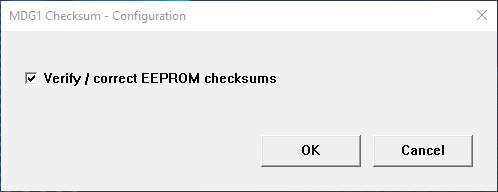
The Configure dialog:
Verify / correct EEPROM checksums — leave on to also check and repair the Virtual EEPROM checksums. On by default.
The most complete of the four. It recognises the ECU, checks and repairs the Processor, External Flash, Virtual EEPROM and Calibration areas, re-creates the signature of any part you edited, keeps the ECU's verification number in step, and uses your original file to identify the blocks and flag an image that looks modified from stock.
What it can do from your read — it works on whichever areas you supply: a full read lets it check and re-sign everything; a calibration-only read repairs just the calibration. Supplying the original EEPROM improves block identification; without it a best-effort reading is used.
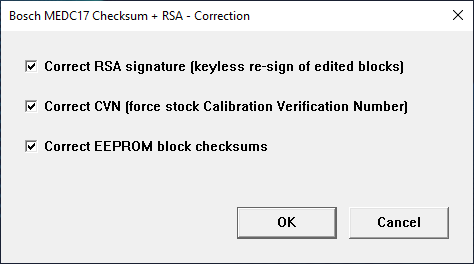
The Configure dialog (three switches, all on by default):
Correct RSA signature — re-sign the parts you edited so the ECU accepts them.Correct CVN — restore the stock verification number the ECU expects.Correct EEPROM block checksums — repair the Virtual EEPROM checksums.
Tip — if you are writing a file to a car with a tool that does not calculate checksums, leave every plugin on its defaults: they repair the file and re-create the signature so the ECU accepts it. The Verify only choices do not re-create the signature and are only for tools that sign the files when flashing.
You change these from the Configure button beside the plugin in Installed Plugins. Each plugin remembers your choice per Windows user.
Let only one side do the checksums — repair the checksums either in Tuning Editor or in your flashing tool, never both. If both correct, some tools recalculate the checksums incorrectly while writing, and the result can be a bad or rejected file.
Warning — never write an edited file with stale (un-repaired) checksums. Doing so can leave the ECU unusable. And for MD1/MG1, remember the security signature is handled by your flashing tool, not here.
Go Back to the Sections
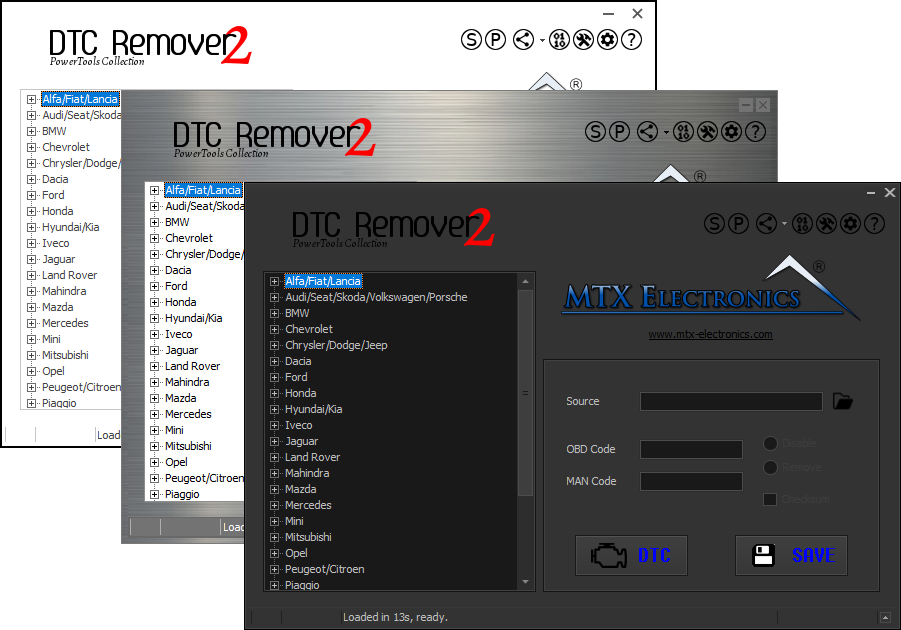
Lets you quickly disable fault codes to turn off the MIL light directly from your ECU file. Available in Standard and PowerTools editions with advanced scripting and online presets to remove faults by component groups.

A free, modern Windows software for viewing and editing ECU calibration data - map and hex editors, tuning calculators, and online services.

All-in-one application for tuning experts preparing vehicles for track use. Designed for professional workshops, it simplifies the deactivation of non essential components to unlock true performance.