
A checksum is an integrity value the ECU recalculates and checks; if it does not match, the ECU may refuse the file. The checksum view shows the analysis for the active version: which ECU was recognised and whether each checksum block is valid. Open it from the checksum indicator in the status bar.
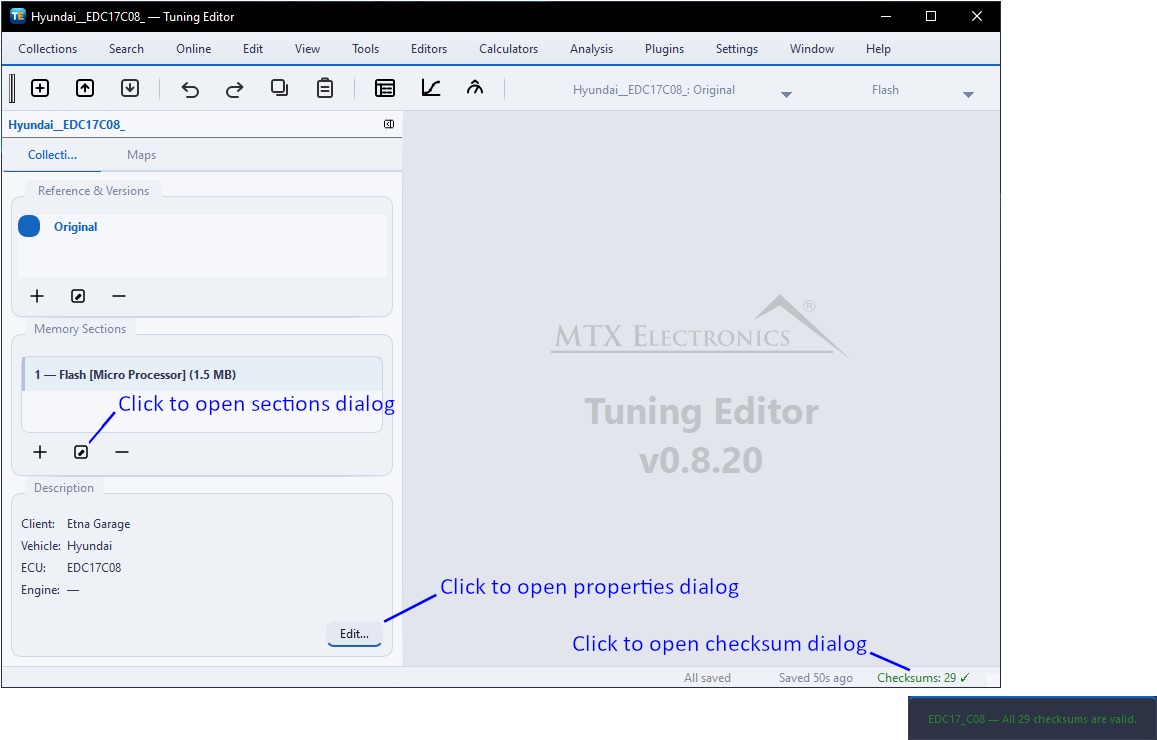
A header reports the detected ECU and the plugin that recognised it, then a per-block table: the algorithm and region, the stored value against the freshly computed value, and a status (valid, invalid, unsupported or unknown). It may also note whether the image appears modified from stock.

The view is driven by analysis cached in the collection, so it appears instantly even with no plugin present; Rescan recomputes it. The view only reports status — checksums are corrected when you export a binary (enable it in Export Binary).
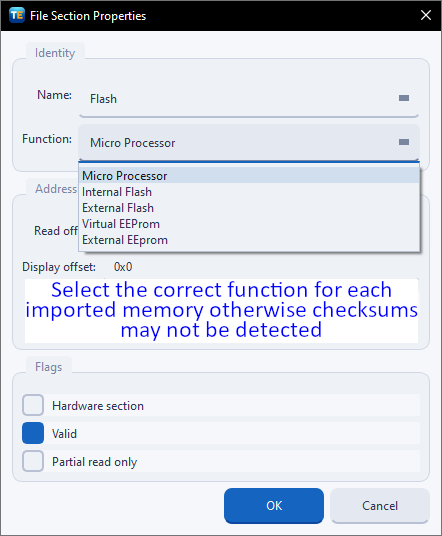
A section is a single memory region of the ECU — commonly the processor or flash, and sometimes a separate EEPROM — holding a Function tag and the bytes for that region. A collection can contain several.
Note — set each section's Function correctly: the checksum plugin uses it to recognise the region. If the checksum list is empty, check that the right Function is selected.
Detection and correction are performed by a checksum plugin that knows your ECU. Tuning Editor ships with a configurable one — the Generic Checksum plugin — which you can point at firmware the built-in coverage does not include, and developers can write their own (see plugins).
Warning — if no checksum plugin recognises your file, the status can still be shown but cannot be recomputed or corrected. If you do not have a checksum plugin, make sure your flashing tool recalculates and corrects the checksum during programming. Failing to do so may result in an unusable (bricked) ECU. Never write an edited file with a stale checksum.
Go Back to the Sections

A free, modern Windows software for viewing and editing ECU calibration data - map and hex editors, tuning calculators, and online services.

Immobilizer deactivation software for automotive professionals. Disable factory immobilizers directly in the ECU file ideal for engine swaps, track vehicles, and module replacements.

A free collection of checksum correction plugins for TunerPro that ensures safe ECU tuning. Automatically verify and update file checksums for reliable vehicle performance.