
This page explains the ideas the rest of the documentation builds on. No prior experience is needed: read it once and the other pages will make far more sense. Each term also appears in the glossary at the end.
An ECU (engine control unit) is the small computer that runs an engine. It reads sensors — air, temperature, throttle, engine speed — and decides how much fuel to inject, when to fire the spark, how much boost to allow, and so on. It makes those decisions by looking up values in tables that were set by the manufacturer. Those tables are the calibration.
A map is one of those lookup tables. A fuel map, for example, might have engine speed along one edge and load along the other, with a target value in every cell. The ECU finds the cell that matches the current conditions and uses (or interpolates) its value. Tuning is the act of changing these maps to alter how the engine behaves.
All of that calibration lives in the ECU's memory, often called the ROM or the binary — essentially one long list of bytes. To work on it, the bytes are saved to a file. Tuning Editor reads the three common forms of that file: Intel HEX, Motorola S-record (.s19/.s28/.s37) and raw BIN. See importing a binary.
The bytes in the ROM are rarely the numbers you care about directly. A cell might store the number 200, which really means 14.5 bar or 1.45 of something. The stored number is the raw value; the meaningful number is the physical value. A small formula, called the scaling, converts between them.
Note — the most common scaling is linear: physical = a × raw + b. Tuning Editor shows you the physical values by default, so you edit in real units rather than counting bytes.
A map's edges are its axes. An axis can be defined three ways: a fixed list of values known in advance; a list read from elsewhere in the ROM; or a simple generated series (for example 0, 1000, 2000, …). Some maps have two axes (a table), some one (a curve), and some none (a single value).
Tuning Editor understands three kinds of scaling: identical (raw and physical are the same), linear (the a × raw + b formula above), and a more general rational function used by some manufacturers. You normally never set these by hand — they come from a definition file or a map pack.
Each cell has a data type that says how many bytes it uses and how to read them — 8, 16 or 32 bits, with or without a sign, or a floating-point number. These line up with the industry-standard ASAP2 types, so a definition file maps onto them directly.
Multi-byte numbers also have a byte order (or endianness): the same value can be stored most-significant byte first (big-endian), least-significant first (little-endian), or with a word-swapped order that some processors use. Getting this right is what makes a 16- or 32-bit value read correctly.
A checksum is a small number calculated from a block of the ROM and stored alongside it. When the ECU starts, it recalculates the checksum and compares: if they do not match, it assumes the file is corrupt and may refuse to run. Because editing a map changes the bytes, the old checksum no longer matches.
Warning — after editing, the checksum must be recalculated so the file is accepted again. Tuning Editor can do this for you when you export; see checksums.
On its own, a ROM is just bytes — nothing says “this region is the fuel map”. A definition file supplies those labels: where each map lives, its size, axes and scaling. The standard format is A2L (ASAP2). Importing one turns a wall of hex into a list of named, ready-to-edit maps; see importing an A2L.
Your work is kept in a collection — a single project file that can hold several sections (for example different files) and, within each, several versions (the stock read, your edits, alternatives). Reusable groups of map definitions can be saved as map packs. See collections and versions.

A free collection of checksum correction plugins for TunerPro that ensures safe ECU tuning. Automatically verify and update file checksums for reliable vehicle performance.

A free, modern Windows software for viewing and editing ECU calibration data - map and hex editors, tuning calculators, and online services.
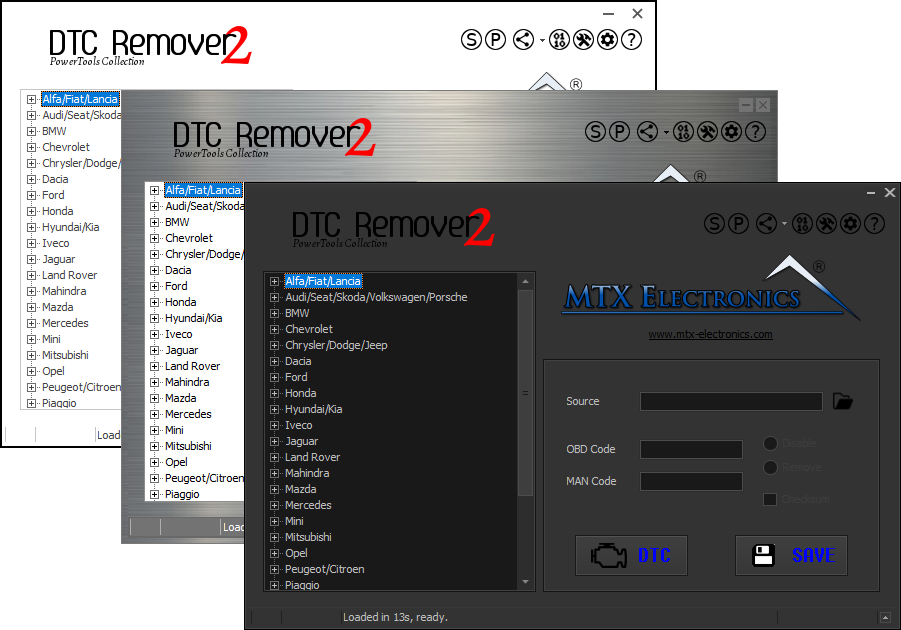
Lets you quickly disable fault codes to turn off the MIL light directly from your ECU file. Available in Standard and PowerTools editions with advanced scripting and online presets to remove faults by component groups.