
Tuning Editor ships with the generic checksum plugin: a checksum/detection plugin you configure from a JSON file rather than code. Point it at your ECU and it verifies and corrects the integrity checksums the ECU expects — covering firmware the built-in plugins do not. This page explains the algorithms it offers, how it decides pass or fail, how it repairs a value, and how to set it all up in the configuration dialog.
A checksum reduces a block of bytes to a small number. The plugin offers five families; the right one is simply whatever your ECU already uses, but it helps to know what each is for.
Rather than entering CRC parameters by hand, pick a preset from the dialog. Twelve are built in: CRC-8, CRC-16/CCITT-FALSE, CRC-16/XMODEM, CRC-16/MODBUS, CRC-16/ARC, CRC-32, CRC-32/BZIP2, CRC-32C, Adler-32, Fletcher-16, Fletcher-32 and Sum-32. Choosing one fills in every parameter; choose (custom) to set them yourself. CRC-32 and the CRC-16 variants cover most ECUs.
Once a value is computed over the region, the plugin decides pass or fail in one of three ways:
When you export a corrected binary, the plugin repairs the checksum in one of three ways, matched to the verify mode:
Note — if the checksum’s own bytes fall inside the region it covers, leave Exclude store bytes from region on (the default) so those bytes are treated as zero while computing. If the checksum sits outside the region, it makes no difference.
The config is a list of profiles. Each has match rules — a file-size range, magic bytes at an offset, and a section function-name filter. The first profile whose rules fit a file wins, and its name becomes the detected identity shown in the checksum view. Because a user-defined profile has no notion of “stock”, the originality verdict is reported as unknown.
On Windows, select Generic Checksum (configurable) in Help › Installed Plugins and click Configure…. A native editor opens on your config.json. Its built-in Help button lays the work out in four steps — Profile, Mapping, Definitions, Save — and every field has a hover tooltip.
Use the Profile picker to select, create (New), rename or Delete a profile. The Match group sets when it applies: Size min / Size max (0x0 means “any”), a Function filter, and a Magic — the offset and the fixed bytes (hex) that must appear there. A magic is the most reliable matcher; add a size range as a second guard and avoid matching everything.
If your regions and store use memory addresses rather than file offsets, fill in the first mapping segment: a Base address, the FileOff it maps to, and the Size. Left empty, the plugin works in file-offset mode (address equals offset).
The Definitions table lists the checksums in the profile, with Add, Edit, Remove and Up / Down (ordering only). Edit opens the Checksum definition editor, where you set:
Validate checks the document (the status line shows “Configuration is valid.” or the error), and Save writes it — after which the host re-analyses affected files. For patterns the form keeps simple (several magics or regions, extra mapping segments), Edit JSON… opens the raw document; anything you add there is preserved, not discarded. Import…, Export… and Open Folder round out the buttons. The file lives at %USERPROFILE%\Documents\TuningEditor\PluginSettings\generic-checksum\config.json, and the TE_GENERIC_CHECKSUM_CONFIG environment variable can point the plugin at a specific file.
Working out an unknown checksum is a process of elimination, and the dialog is built to help:
Warning — confirm a definition reports the right computed/stored values with the read-only analysis before you correct anything, and keep a backup. Correction rewrites bytes.
The plugin ships five ready-to-read example profiles, one per common pattern — load them with Import… and adapt:
config.json is a list of profiles. Wide integers are hex strings, enums are lowercase, widths are plain numbers. A minimal profile:
{ "schemaVersion": 1, "profiles": [ { "name": "My ECU", "match": { "sizeMin": "0x100000", "magics": [ { "offset": "0x0", "text": "VENDORTAG" } ] }, "mapping": [ { "baseAddr": "0x80000000", "fileOff": "0x0", "size": "0x200000" } ], "defs": [ { "name": "Flash CRC", "algo": { "kind": "crc", "width": 32, "poly": "0x04C11DB7", "init": "0xFFFFFFFF", "refIn": true, "refOut": true, "xorOut": "0xFFFFFFFF" }, "regions": [ { "mode": "memory", "start": "0x80080000", "length": "0x40000" } ], "store": { "mode": "memory", "offset": "0x800C0000", "width": 32 }, "verify": "stored", "correct": "store" } ] } ] }
sizeMin/sizeMax (inclusive, 0x0 = no bound), magics (all must match), functionFilter (case-insensitive substring).{ baseAddr, fileOff, size } segments; empty = file-offset mode. Needed when regions use "mode": "memory".kind (sum / xor / crc / fletcher / adler32) and width; CRC adds poly/init/refIn/refOut/xorOut; Sum/XOR add wordWise / bigEndian (Sum also twosComplement).{ mode, start, length } (mode file or memory).{ mode, offset, width, bigEndian }.stored / constant (with constantTarget) / sumzero; correct — store / compensation / crcsolve, with a compensation word where used.
This plugin handles standard integrity checksums and their correction. Each reported checksum covers one contiguous span (a definition may list several regions, computed over their concatenation, but reported as a single span). Developers can build their own checksum plugin from the same open-source example — see build your own checksum plugin.
Go Back to the Sections

A hex editor built specifically for editing EEPROM data in automotive ECUs. With real-time checksum correction, side-by-side file comparison, and plugin support for automated tasks it's the ultimate tool for professionals.
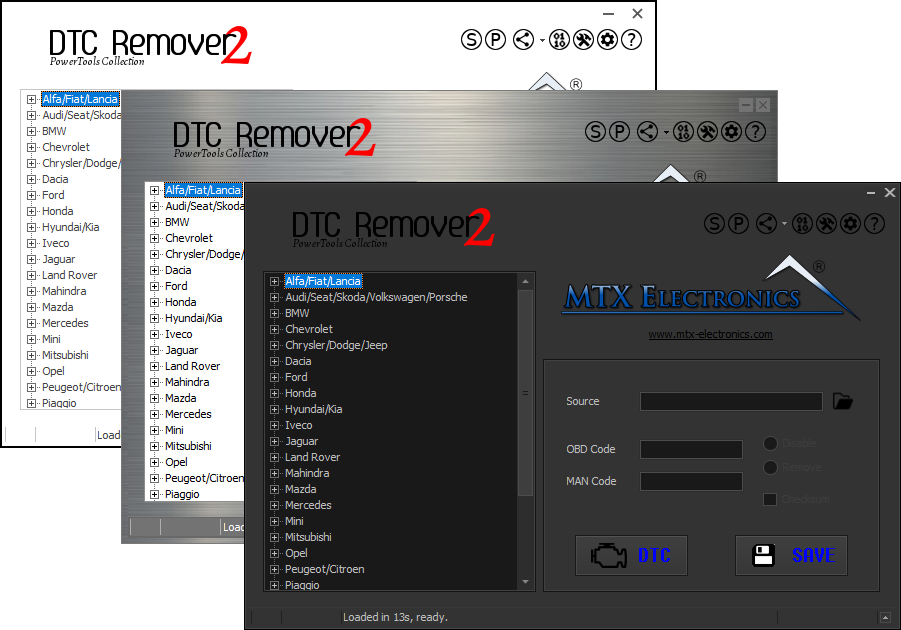
Lets you quickly disable fault codes to turn off the MIL light directly from your ECU file. Available in Standard and PowerTools editions with advanced scripting and online presets to remove faults by component groups.

A free collection of checksum correction plugins for TunerPro that ensures safe ECU tuning. Automatically verify and update file checksums for reliable vehicle performance.