
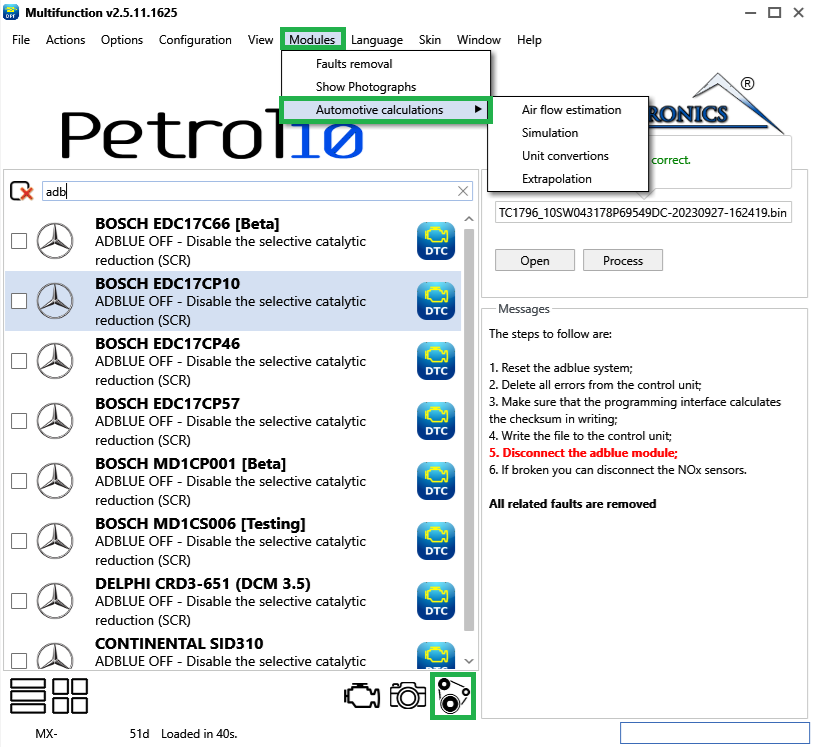
The Automotive Calculations window is a set of small calculators for chiptuning estimates — converting air-flow figures, sizing airflow for a power target, working out volumetric efficiency and density ratio, converting common units, and extrapolating map values. Open it from Modules › Automotive Calculations (Figure 1), or from its toolbar button; each menu entry opens the same window on a specific tab.
Every calculator works the same way: type the input values and press Apply to see the result. Many results also have a copy button so you can paste the figure into your notes or a map. These figures are estimates to guide tuning decisions, not exact measurements.
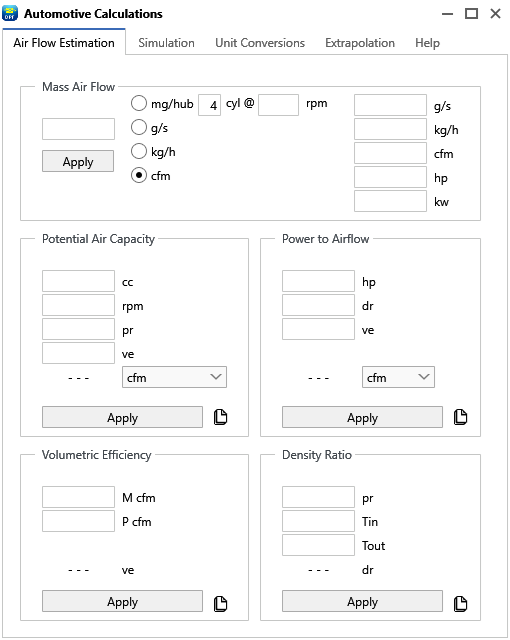
The first tab (Figure 2) groups five related calculators:
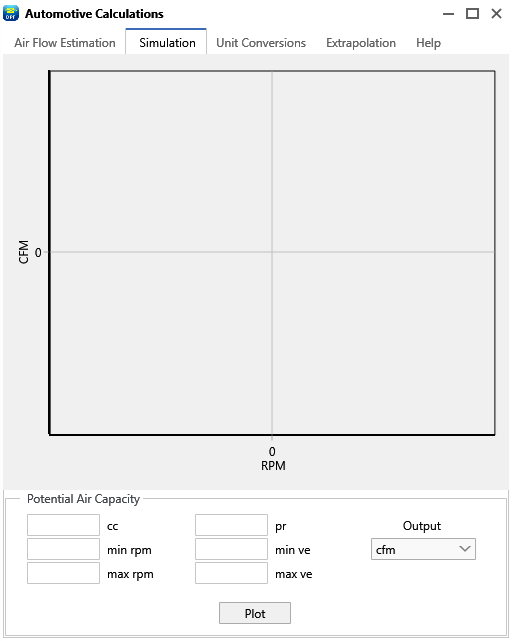
The Simulation tab (Figure 3) plots a Potential Air Capacity curve on a chart. Enter the displacement, the RPM range (minimum and maximum), the pressure ratio and a VE range, choose the output unit (mg/hub, g/s, kg/h, CFM, HP or kW) and press Plot to see how the estimated airflow changes across the rev range.
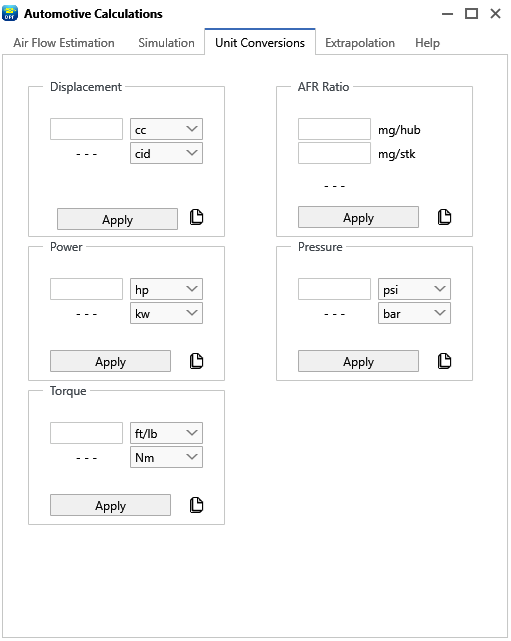
The Unit Conversions tab (Figure 4) handles the conversions you reach for most while tuning:
x.x:1.Pick the "from" and "to" units, type a value and press Apply.
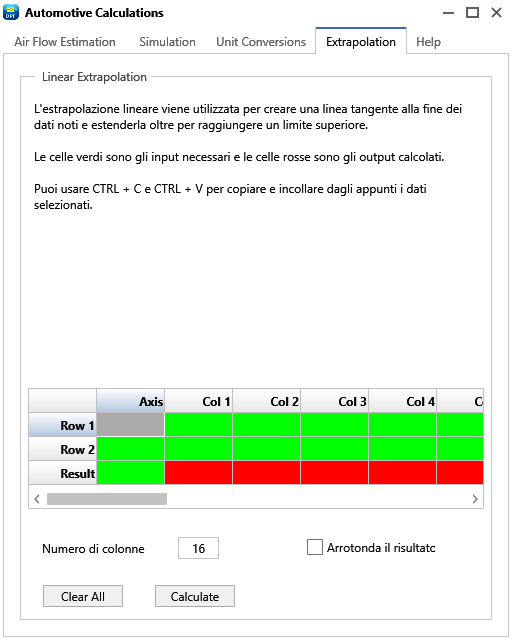
The Extrapolation tab (Figure 5) is a small grid for linear extrapolation — extending a known trend beyond its last point, which is handy for filling map cells past the logged range. Set the number of columns, then enter two known axis points and their values in each column, plus the target axis point in the Result row. Press Calculate and each column is filled in using:
result = ((target − a1) × (v2 − v1) ÷ (a2 − a1)) + v1
where a1/a2 are the two known axis points, v1/v2 their values in a column, and target is the axis point you want. Use Clear All to reset the grid, tick Round the result for whole numbers, and Copy results to the clipboard to paste them elsewhere.
A fifth Help tab inside the window gives a short reference for these calculators.
Tip — Worked example for Potential Air Capacity: a 1998 cc engine at 6000 rpm, VE entered as 0.95 (i.e. 95%) and a pressure ratio of 1 gives about 200 CFM — roughly 130 HP. Enter VE as a fraction, not a percentage.

A hex editor built specifically for editing EEPROM data in automotive ECUs. With real-time checksum correction, side-by-side file comparison, and plugin support for automated tasks it's the ultimate tool for professionals.

All-in-one application for tuning experts preparing vehicles for track use. Designed for professional workshops, it simplifies the deactivation of non essential components to unlock true performance.

A free collection of checksum correction plugins for TunerPro that ensures safe ECU tuning. Automatically verify and update file checksums for reliable vehicle performance.